

Did you know that almost one-third of students admit to being distracted by their devices during most of their classes? It’s a statistic that should concern every teacher and parent. With constant notifications popping up from dozens of apps every few minutes, staying focused has become harder than ever.
Students of the digital age face distractions their teachers never had to deal with, but you can still keep them curious.
And no, you don’t have to ban technology or go back to chalkboards and overhead projectors. Instead, you can use a few proven strategies that keep their attention span beyond the next TikTok video.
In this article, you’ll get practical classroom strategies that actually work, plus tips to help you create an engaged and focused learning environment. So let’s get students curious again.
What Is Student Engagement in Digital Classrooms?
Student engagement is the attention, curiosity, and effort students show in the classroom. It’s when students ask questions, lean forward in their seats, and want to know more, instead of sitting quietly at their desks.
Engaged students participate, think deeply, and connect with the material in ways that stick with them long after class ends. But engagement doesn’t look the same for every student. So let’s break down the main types you’ll see.
Types of Student Engagement in Classrooms
Researchers break student engagement into three main types: behavioral, cognitive, and emotional. Each one is significant in digital classrooms because engagement falls apart without one. Here’s a brief overview:
- Behavioral Engagement: Behavioral engagement is what you can see students doing in classroom activities. You can spot behavioral engagement through visible actions like note-taking and physical classroom activities. When students are behaviorally engaged, they’re present, focused, instead of scrolling through Instagram.
- Cognitive Engagement: For cognitive engagement, the focus is on mental effort. It’s when students create original work instead of copying information from the first Google result. Instead, learners push through because they want to understand a topic.
- Emotional Engagement: Emotional engagement is needed for students to feel motivated to push their limits and pursue achievements. It’s when they feel safe, valued, and connected to the learning environment. A sense of belonging keeps engaged students motivated through difficult academic challenges.
These three types form a complete framework of how to keep a student’s engagement strong, especially in today’s digital classrooms.
What Makes Students Lose Focus in Digital Learning?
Students lose focus on screens because screens are built to constantly grab and hold their attention. Tech companies hire psychologists to make apps as addictive as possible. Features like endless scrolling, notifications, and quick rewards keep their brains wired for distraction, making it hard to stay curious or concentrate for long.
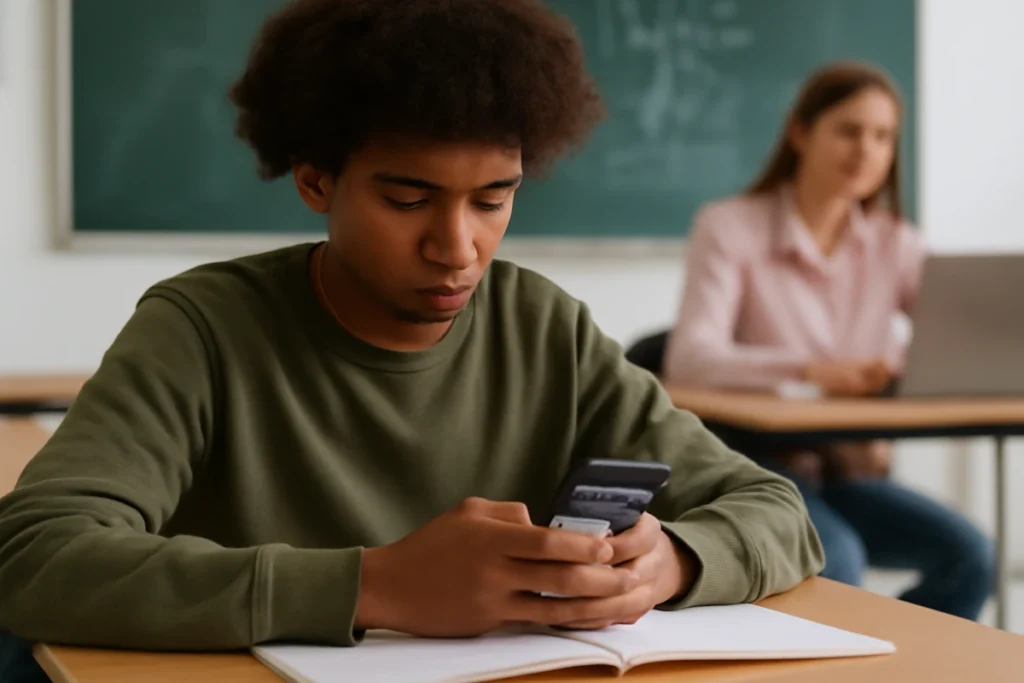
Take a look at how their focus works when screens are there.
Notification Overload Breaks Concentration
Students check their phones an average of 100 times a day, and every buzz or vibration pulls them out of whatever they were learning. And schools are still figuring out how to manage personal devices, but the main issue is how powerful the pull of these screens has become.
One study showed that students performed worse on exams even when their phone was turned off and sitting on the desk. And if you add unlimited internet access, distractions spread far beyond anything a classroom can control.
Passive Consumption Replaces Active Learning
Another reason is passive scrolling that turns students into spectators instead of thinkers. Apps that are built for quick entertainment gradually push students toward autopilot mode.
This is what passive scrolling does:
- Reduces critical thinking
- Weakens problem-solving
- Encourages short bursts of attention
- Makes longer lessons feel overwhelming
TikTok and Instagram train the brain to follow 15-second clips, so their brains get used to fast, effortless content. And they struggle when facing a 40-minute lesson.
Digital Tools in Classroom Management
Surprisingly, students actually focus better with limits. This might sound backwards at first because kids need freedom to explore and learn. But unlimited screen access isn’t freedom, it’s chaos.
So let’s talk about how to create a balance without turning your classroom into a tech-free zone:
Set Clear Technology Boundaries
Clear rules about tech tools remove confusion and help students stay on track. Teachers establish acceptable use policies on day one for the learning space.
Screens stay at 45-degree angles when they’re not being used for work. This one trick can be handy for you because students can’t secretly scroll when their screen faces you. You can also designate tech-free zones where students learn without digital content around them.
Use Screens for Exploration, Not Consumption
Screens work best when students create, research, and solve problems instead of watching. So, encourage students to research, create content, and solve real problems on online platforms.
Interactive activities teach complex concepts better than passive video watching. This is the difference between watching someone cook and actually making the meal yourself.
So, providing students with learning objectives keeps screen time focused and productive.

Teach Digital Citizenship Skills
Students learn to recognize when apps manipulate attention through design features. Digital citizenship covers online safety, ethical behavior, and smart screen habits, and it works best when students learn to make these choices on their own.
So tell them to track their screen time so they can see their own patterns. Many students don’t realize how quickly those hours add up. When they understand how tech is designed, they’re better equipped to resist distractions and stay focused longer on their own.
Classroom Activities to Boost Critical Thinking
Once you’ve set clear boundaries and taught digital citizenship, use it as your cue to use technology in ways that make the learning process interesting. You don’t need every new app, just a few strategies that help students care about what they’re learning.
Here are four that work well:
Connect Lessons to Real-World Careers
Students pay more attention when they see how their lessons relate to future jobs. So show how your subject is used in real careers. For example, architects use geometry, marketers use writing, and scientists use data.
Invite professionals to speak or share short videos about their work. Then, let students explore careers that match their interests. Because the learning process feels more meaningful when it’s connected to real goals.
Show Genuine Enthusiasm for Your Subject
Your passion is more effective than any tech tool for boosting a student’s active participation. So, think about when was the last time you got excited about something because the person explaining it sounded bored?
So share why you love your subject through stories and personal experiences. Talk about the moment it all clicked for you. This enthusiasm signals to students that the material deserves their attention.
Mix Collaborative and Independent Digital Work
A mix of group discussions and solo work keeps involving students from a diverse range. Online resources help students work together in real time, and independent tasks give them space to think at their own pace.
So, use activities like think-pair-share or small digital groups. But keep a balance because some students learn best by talking, but others work well quietly.

Gamify Without Sacrificing Depth
Games can make the learning process fun, but real understanding comes from critical thinking challenges. Interactive simulations like Kahoot and Prodigy make practice fun without replacing rigorous teaching methods. Here, the points and leaderboards motivate students when they’re linked to real learning goals.
But remember to balance gamification with activities requiring critical thinking and deeper understanding. For example, a gamified quiz is great for vocabulary practice, but you still need essays for analysis.
Student engagement needs substance behind the entertainment value of games.
Screens Don’t Have to Kill Academic Outcomes
Keeping students curious in a screen-heavy world is possible, and it starts with clear boundaries for when and how technology is used. It also depends on your energy in the classroom.
When you show true enthusiasm for your subject, students feel the motivation. And when lessons clearly link to real careers and everyday life, the material suddenly seems more interesting.
Their curiosity fades only when screen time turns into mindless watching. So, try one strategy from this article next week. Because students want to learn, and they want to feel engaged.
Your role is to show them why the studies are important and guide them toward better habits. And for more classroom strategies, check out On The Culture.